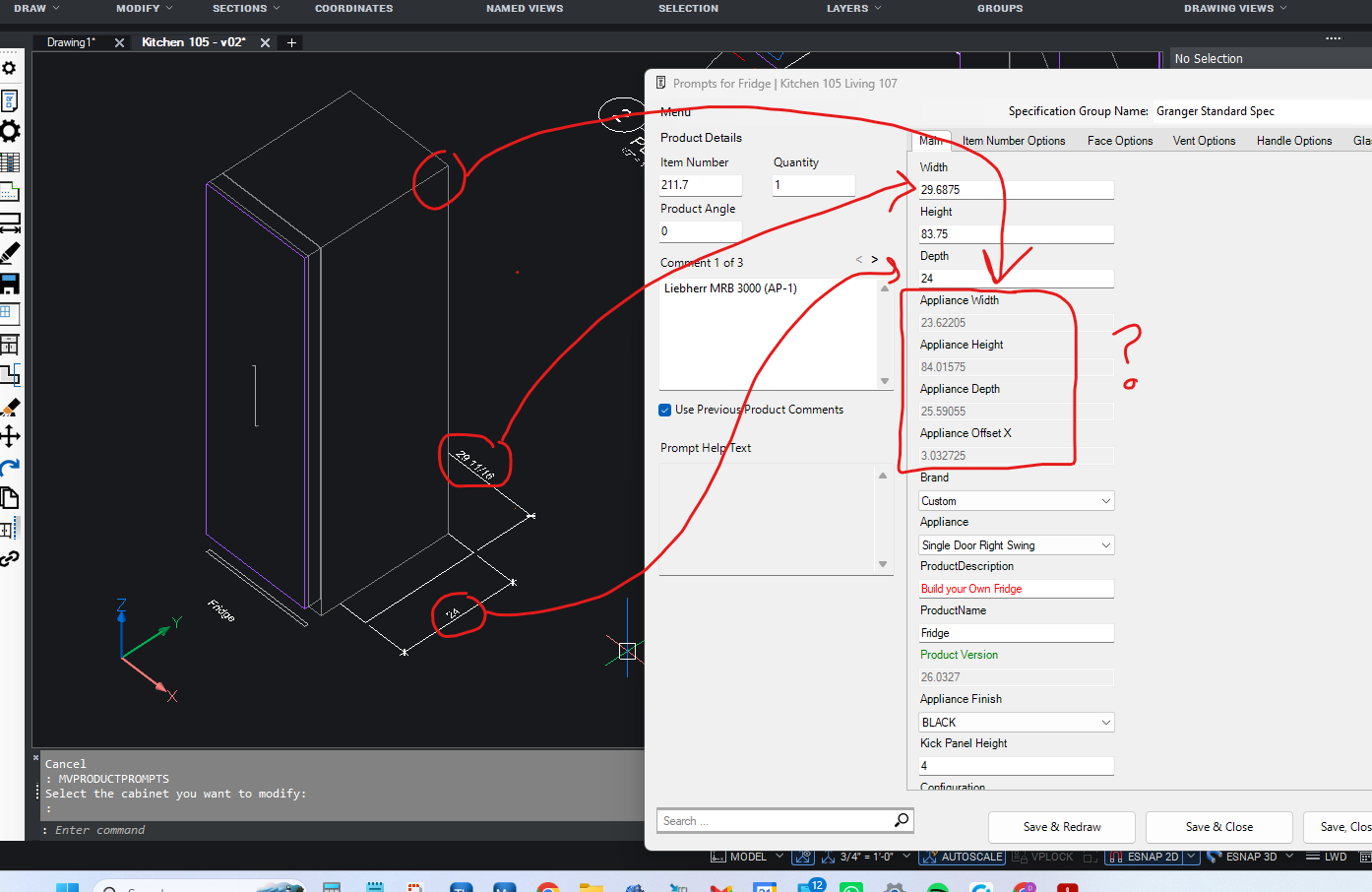
2D Fridge doesn't match 3D
I was off to a good start inserting a fridge and switching on the "applied panel". But then there's no easy way to set the fridge dimension. The options are greyed out and gets into complicated formulas and subassembly. Why not just let us set a generic size? It was so close to being simple, easy, straight forward... sigh...
Instead, one has to select the brand and model which isn't listed for this project.
I've asked MV AI support and it said to use a "master cab" with appliance. Didn't work. Doesn't even have option for applied panel.
Anyone know how to make the 3D match the 2D?
Thanks in advance.