Add a "Date Created" to Work Order Management window
I recently watched a lunch-an-learn about using the Database management tools and one of the things they covered was Work Order Management. While watching it hit me that it would be great for this window to have a column that could be sorted by "Date Created".
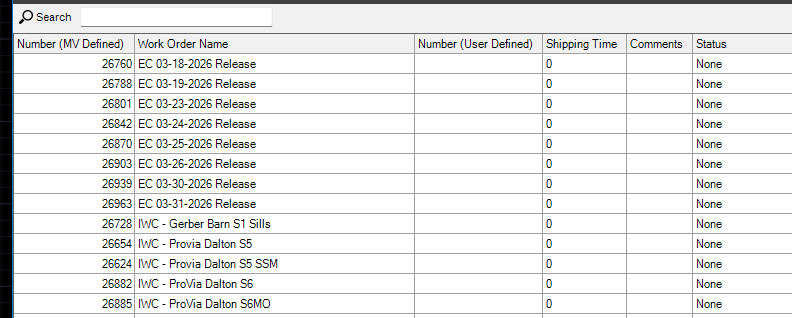
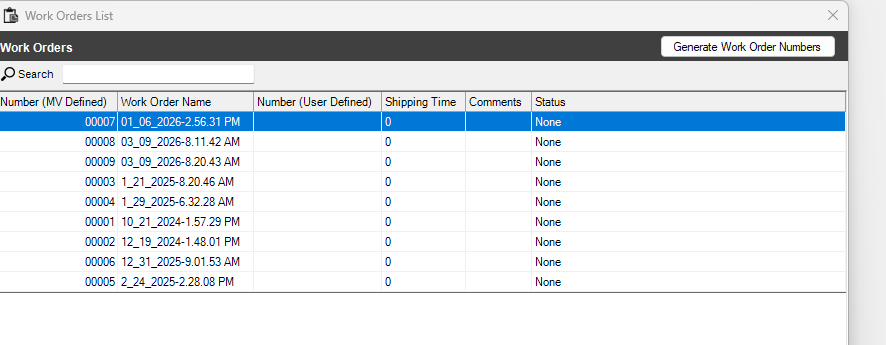
If other shops are anything like use we have quite a few random WO's using the default date/time but those are not labeled well or easily referenced. For most of our material ordering we label the WO for the job and stage/grouping. But these don't have a date to reference. The same goes for our batch releases to the shop. those are based on the day in question.
We try and go in and only keep the most recent and needed WO's for reference or use. This means we usually only have a month or so of information to keep the size and amount of data lower. But when using this Work Order Management window there is no way to look at and sort these by date created.
Currently what we are doing is going into the folder manually and finding and selecting/deleting the folders manually. Then opening up the Work Order Management window and removing the missing records.