Add the ability to adjust the scale of 2D section hatched material
Can we add the ability to adjust the scale of the default hatch selections from the material file? This would assist with some of the differences that are showing up between BSB and OEM and allow a little flexibility on how the predefined hatches appear from the 2 systems. Ideally something like the following with access given to it through a menu in the CAD tab of the MV options page.
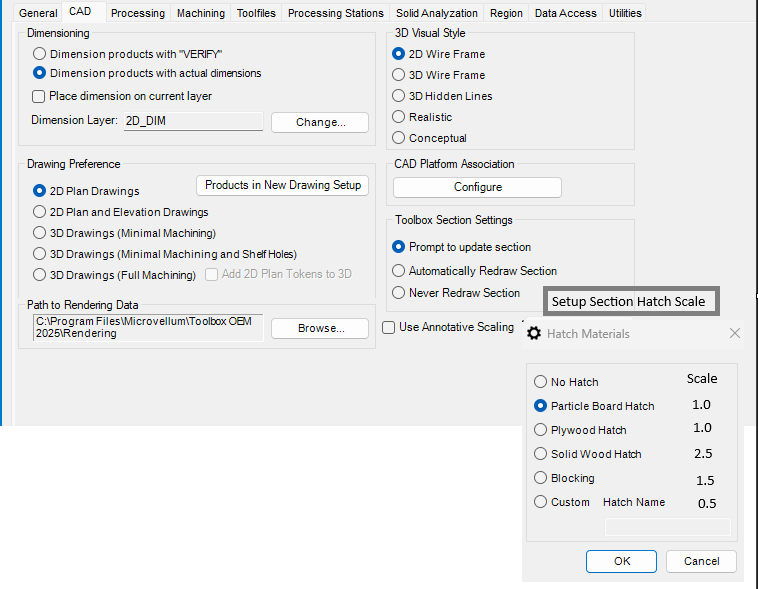
For reference the issue our drafting team is running into is when drawing projects between the 2 systems and utilizing hatching in our material library. Here is the problem related to that in this post 2D Section Material Hatch in BSB. I realize we can change our library materials to a custom hatch pattern and default scale in BSB. However, we are still working in projects using OEM as users transition and get some of the differences worked out between the systems. Further more, we have projects drawn in OEM that will be active over 24months and when we add or update things in these drawings using BSB or going back to OEM after making changes to accommodate BSB is where we are going to see inconsistencies appear. It isn't exactly mission critical but there is something to be said for keeping things consistent throughout however minor it is.