Alternate Unit Input/Conversion Functionality in MV
In Microvellum & Innergy Design it would be nice to be able to use any unit type in any entry box and have it automatically convert it to the current unit, so if you are in Inches but you had a metric measurement for a feature you could input 127mm and it would convert it to 5in (ideally if you clicked back into the measurement it would show it in the entered format similar to it showing a formula). Fusion 360 by Autodesk does this excellently and you can convert any unit on the fly in pretty much any entry box. I know you can use formulas in places in Microvellum to convert but it requires syntax to be correct and is a bit clunky...
Edit (06-04-2026): Inside BSB For alternate unit inputs: Here are the unit abbreviations you can add after the value when inputting into a value input box that will auto convert into the drawing unit (see attached video for example)
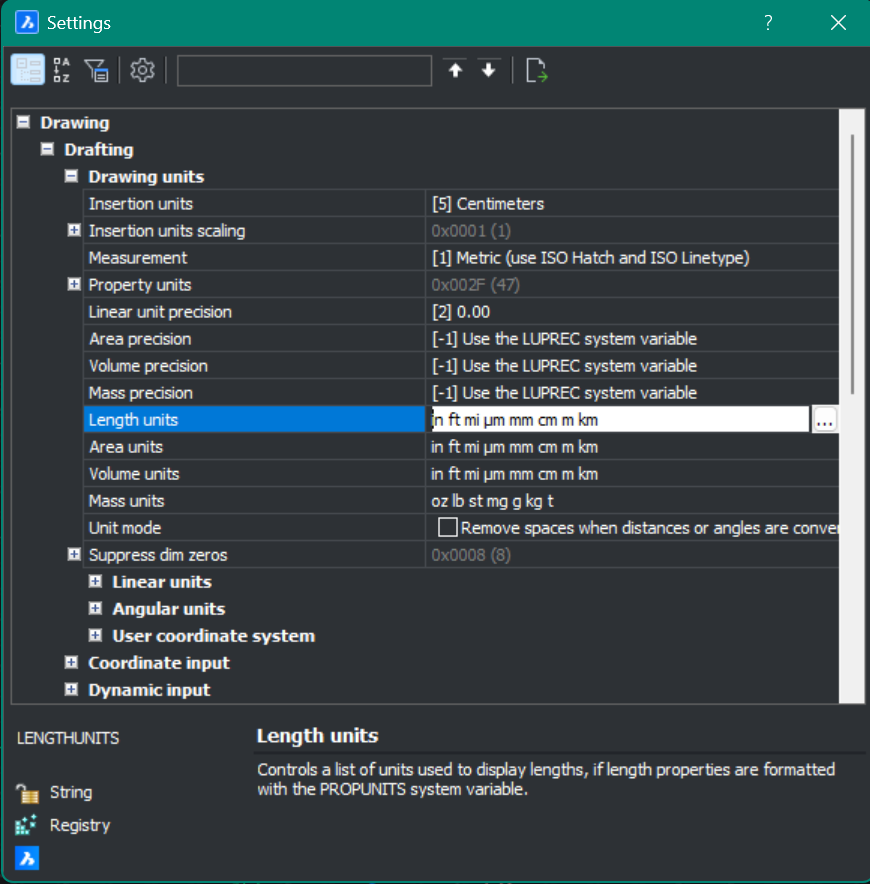 Acceptable Units