Aventos HKi - backside pocket cut, left side
Aventos HKi - The left side hardware pocket is pocketing on backside (red), but the cutout outline is on correct face. I'm not sure how - I've dug into the hardware tokens - there's only one vector as expected.
The routes look correct in '2D Parts', but once processed, the left pocketing pattern gets flipped red to run as backside opp. Right side is correct.
"Easy" work around is to change the color in composite, but obviously that's tedious.
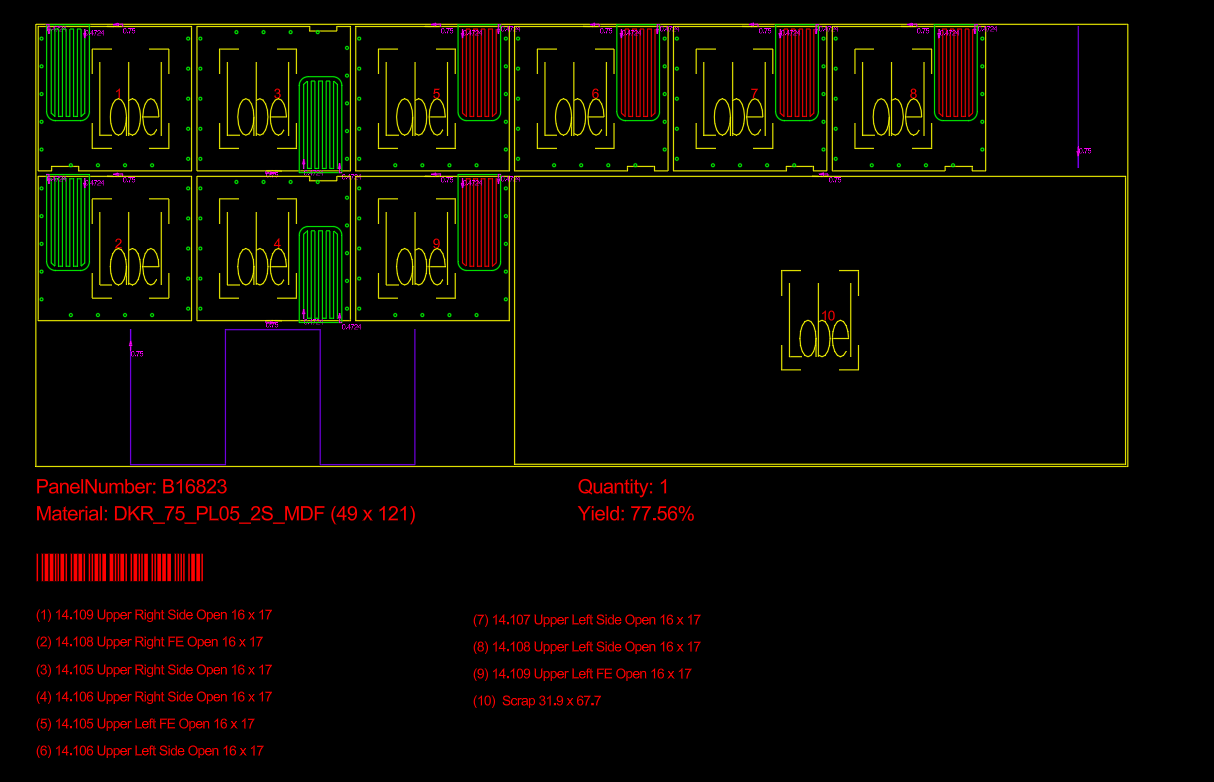
The routes look correct in '2D Parts', but once processed, the left pocketing pattern gets flipped red to run as backside opp. Right side is correct.
"Easy" work around is to change the color in composite, but obviously that's tedious.