Best practice for updating 2D Drawings
I assume whenever something gets overly convoluted and laborious, it's because I'm not doing it right (not that MV is buggy).
One of the largest time sucks, for me, is when I have drawn all my plan, elevation and cross section views and then the customer needs, say, the counter top flush with dawer fronts and I have to update the drawings. Not a big deal, right? Well, for our shop, when we have shadowline finger pulls, we have a block that we import to show how our shop actally mills these. SO - I had exploded my cross sections to delete the default finger pull and put the custom block therer on ALL the drawer fronts. (This is just an example, one of our lead drafters is making htis block come in default in the future). BUT, now since I have altered that drawing so much - when I update, MV drops in the new 2D drawing right over the top of that old one and now I have mess of lines and trying to pick out and delete the old one is just too tedious.
What's the best way to go about this? (One of my co-drafters suggesting moving the new drawing out of the way since it's still all joined as one, which works, but I still have to be careful and weed out old lines from notations and dimensions I want to keep).
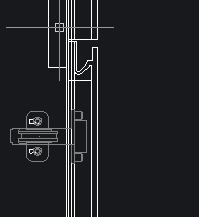 Old lines with proper finger pull buried in new lines with wrong finger pull.