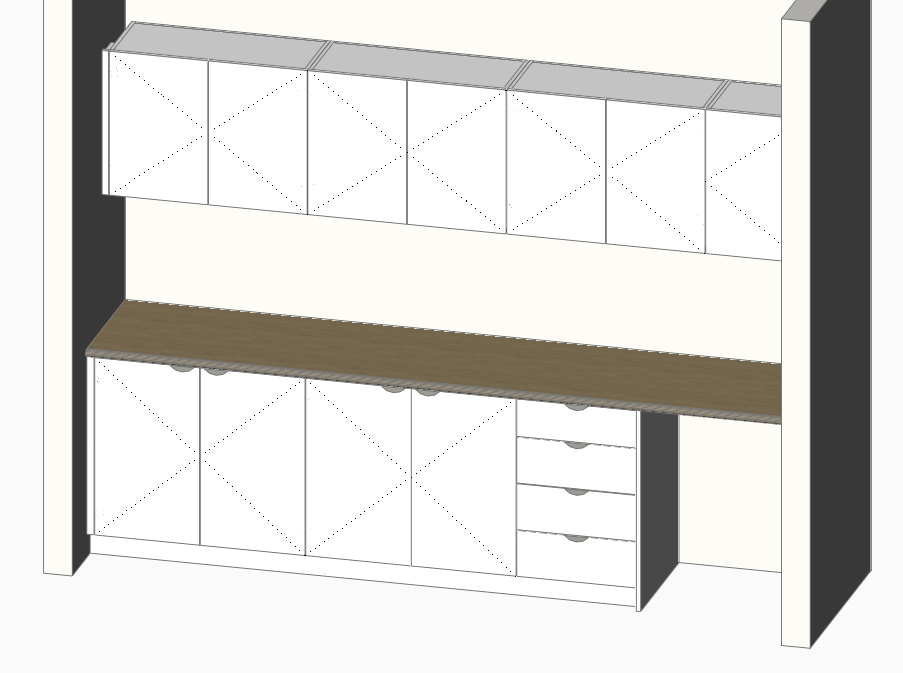
BricsCAD Realistic View
Since making the jump to BricsCAD recently I have been unable to get the lighting right in the realistic visual style.
The main settings are:
Options - Default Lighting 1 (doesn't seem to do anything)
Options - linear contrast (doesn't seem to do anything)
Options - linear brightness (WAY too bright at 1, 0 by default)
Lights - Sun have this off & shadows off
visual style - lighting quality - set to smoothest
materials - self illumination - setting to around 20 makes it better but not enough
Shadows off under render presets
I've played around with all these settings a lot and cannot get a good even lighting like I used to have in AutoCAD, everything is too dark by default and only putting a self illumination on each material helps a bit but the right hand side of vertical panels is still way too dark and shadowed, when viewed from the left its better but it's not always possible to view from this direction.
Anyone else having this issue or have any ideas?