Clearing Project Level Overwritten SA's
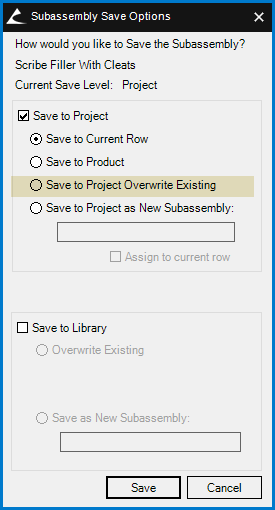
I did something silly with a cleat width variable change in my Scribe Filler with Cleats SA and saved it with the "Project Overwrite Existing" But, since it was a left filler i was working in, now my right fillers are coming in with both left and right radio buttons active, and all of them drawing left fillers. Not the end of the world, but irritating. On the bright side all my cleats are the correct width now. :/
I'm aware i can revert the subassembly to library settings, but was wondering if there's a running list somewhere i can purge out this sort of project level overwrite so i don't have to open up every new one and make the change or revert it.
Any ideas?