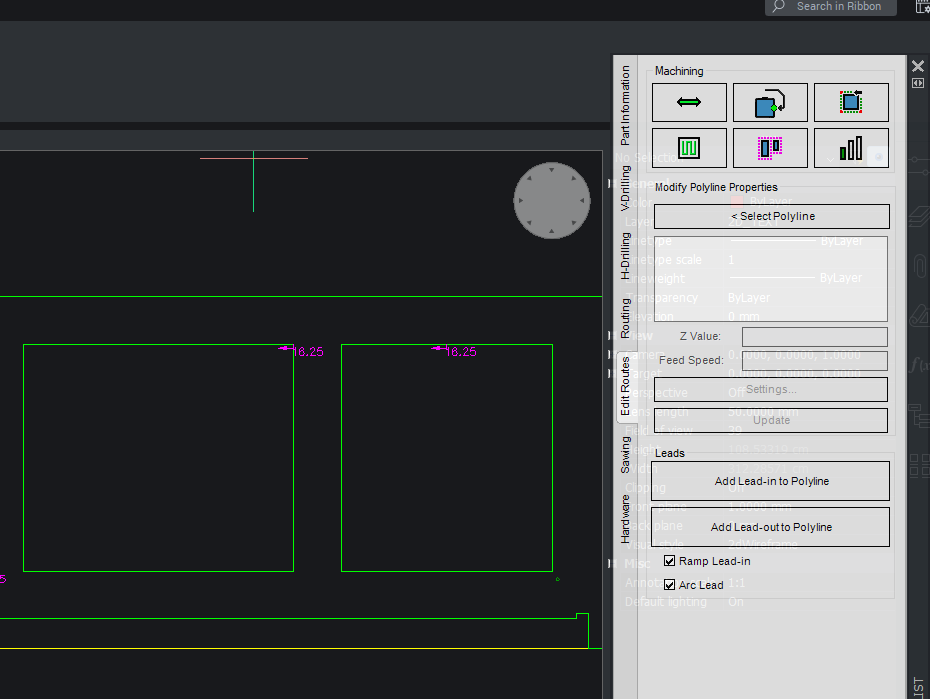
Custom Machining Setmil Position.
Howdy Team.
Wondering if anyone's run up against this before or, if there's any kind of a solution.
In the Image I have attached below are 2 custom cut outs I have placed upon a part.
On the LHS is the unedited route as I have placed it. The issue is the default setmil position has the machining part entering at the corner of the cut out. On the RHS cut out I have changed the location of the tool entry point to the centre of the route. (which is where it needs to be.)
Is there a way at all to adjust this so that by default, whenever I drop in a custom route, the machining entry point is always at the middle of a route?
Appreciate all help/feedback. Thanks gang.