Database "Missing"
Recently we changed server "names" on one of our servers. We did not change anything other than the name. I am reconfiguring a Microvellum database using the updated server name w/ SQL Server and UWOD. When I Setup the connection for the Data Catalog it says that it is "missing"
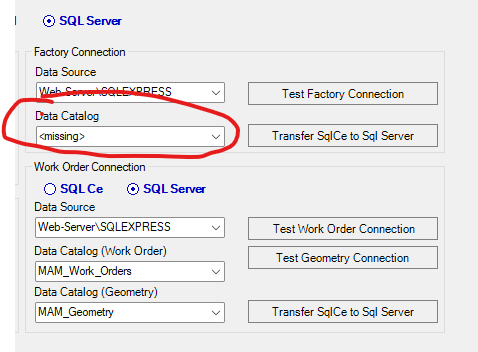
When I use the drop down menu to select the correct data catalog, it is shown.
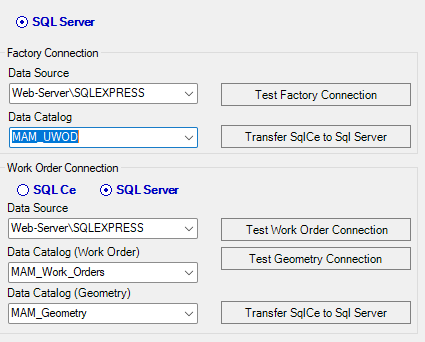
When I try to test factory connection, I get an error saying that it is <missing>. Like it doesn't stick when selecting it.
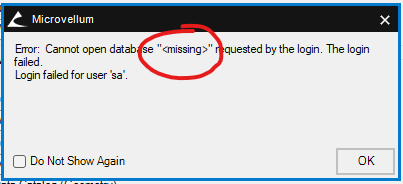
Once I close out the screen and come back into it, the Data Catalog is back to <missing> - again, the selection does not seem to register.
I have checked the database and it is there (in sql server), login information is correct.
The test connections for the work orders and geometry work correctly. Any idea what may be causing it?