Delete a sheet in COMPOSITE but still comes up in REPORT??
Ok in Foundation (wasn't an issue in COMPONENT or their REPORTs) - You delete a SHEET but in the NESTING OP report it still EXISTs - But with NO data for items because the items are delete. And it ALSO has a blank dummy page in PART LABELS too.
Deleted this SHEET
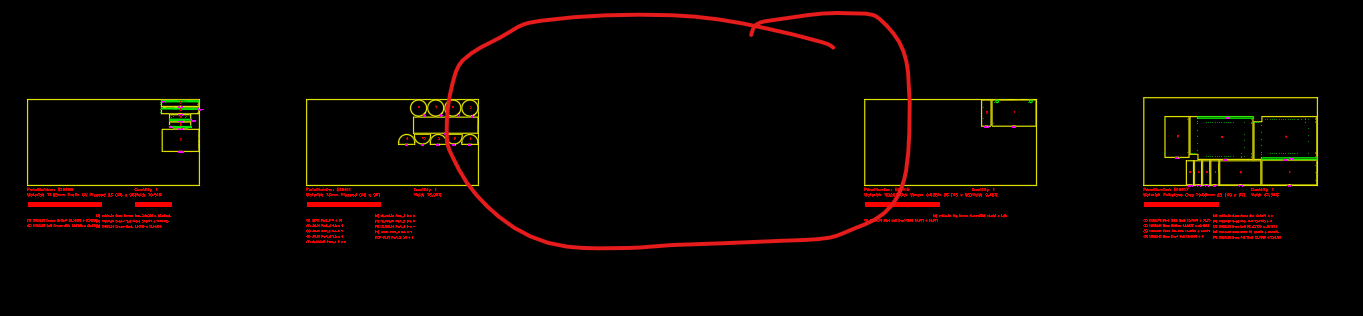
But still in REPORT yet ... 🤷♂️
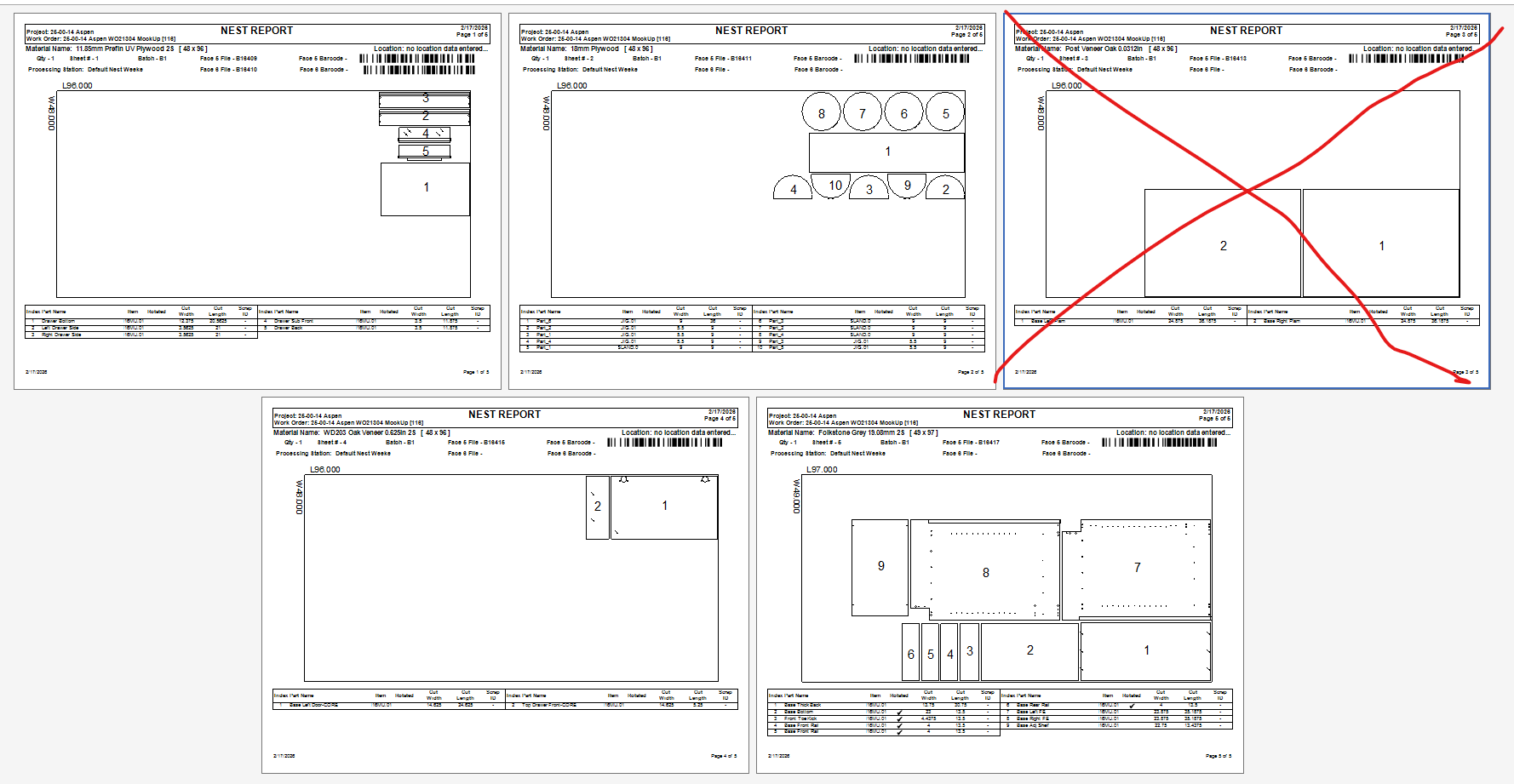
Add Work Order Summary also shows incorrectly.
Have tried different things ... and seems that it hold on to that there WAS a sheet there and doesn't knows it's now OMITTED. Have just deleted the items OR moved on another sheet, leaving the SHEET blank. Delete the whole material border and items .... nothing seems to make the report(s) reflect the omitting of the sheet.
Any ideas??? - We've done this NUMEROUS times in COMPONENT without this issue. We have EXPORT and IMPORTED - COMP reports into FL and still an issue.
Am I/we doing this wrong? Or is this an issue? Help desk support ticket or tell me what we are doing wrong here.