Microvellum Community

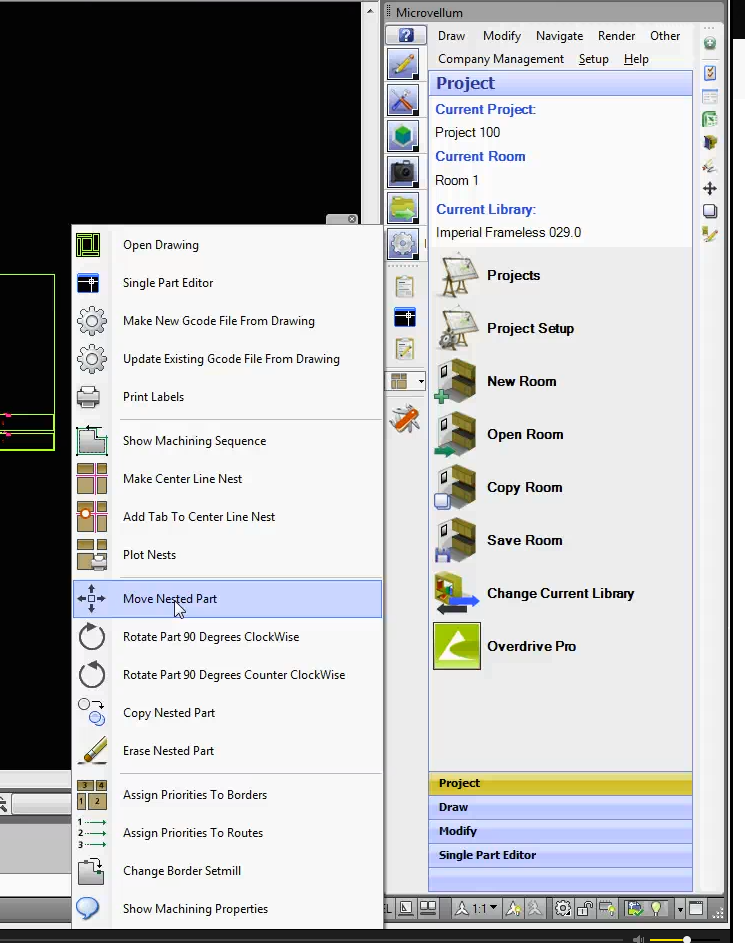
Edit "Composite Drawing" "Moving Nested Parts"

The instructions I have are dated 2012-2013 using "Manufacturing Tools" > "Edit Drawings".

Where is it located in a current build?

I am missing "Edit Drawings' in the "Manufacturing Tools" how do I retrieve the Icon with the flyout?

where is the Icon for moving a "Nested Part"

    Toolbox BSB Survey


    Have you been using Toolbox BSB? We'd love to hear what you think!

    Take the Survey

      MVU eLearning


      Grow Your Knowledge
      Follow along with RJ as he takes you on a journey to build your foundational knowledge of Toolbox.


        Follow us on:


          ERP for Millwork Shops


          Discover how Microvellum and INNERGY streamline operations for cabinet shops and millwork manufacturers.