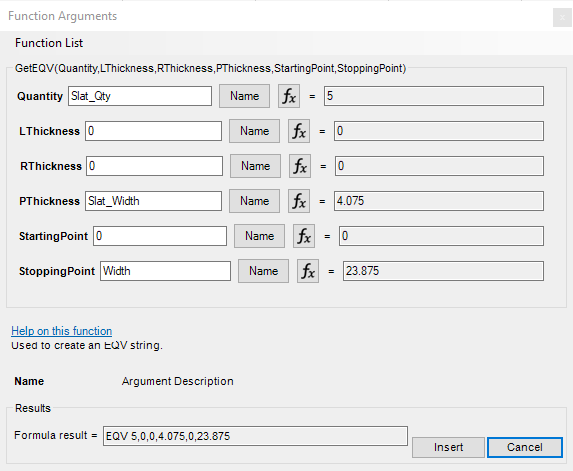
EQV Function. HELP
I am trying to build a custom door style with multiple vertical slats spaced evenly. I found the EQV function is *almost exactly what I need. I have one row in my CutParts with the slats and I'm using the EQV formula to space them evenly.

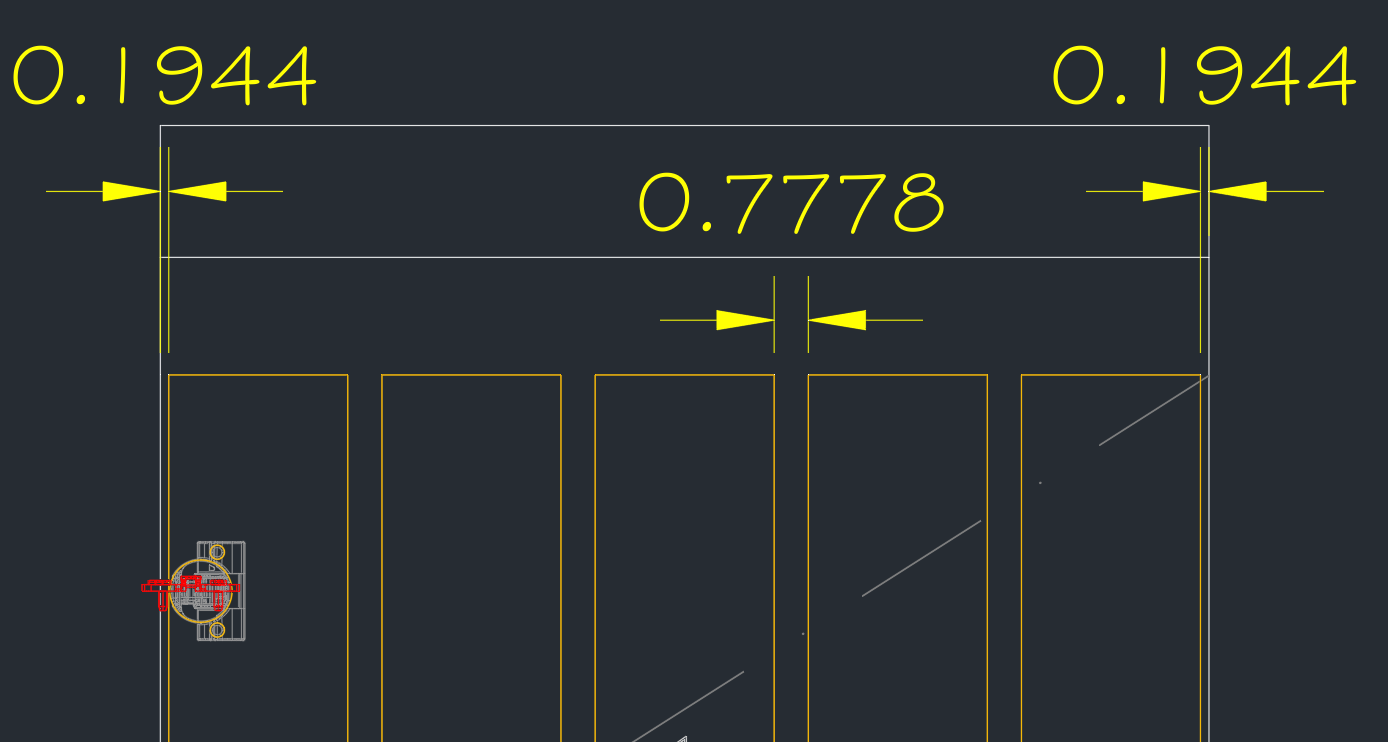
The problem I'm getting is that the EQV starts the spacing of the parts with gaps on the left and right sides. In this case, being a door, I don't want any space/gap at the start or end. I want the slats to start at 0 and end at the Width of the door.
Here is what I'm getting right now. It's leaving 0.1944" on each side. The space between each slat should be 0.875.
Does anyone know how to achieve this with the EQV function?
Here is the formula I have so far
=GETEQV(Slat_Qty,0,0,Slat_Width,-((Width-(Slat_Width*Slat_Qty))/(Slat_Qty+1)),Width+(((Width-(Slat_Width*Slat_Qty))/(Slat_Qty+1))*2))
EDIT:
I started with this formula based off the variable of the GETEQV function. This was still leaving space on the left and right.
=GETEQV(Slat_Qty,0,0,Slat_Width,0,Width)