Feature Request: Improve Visibility in Insert Function (FX) UI – Adjustable Column Widths
Overview:
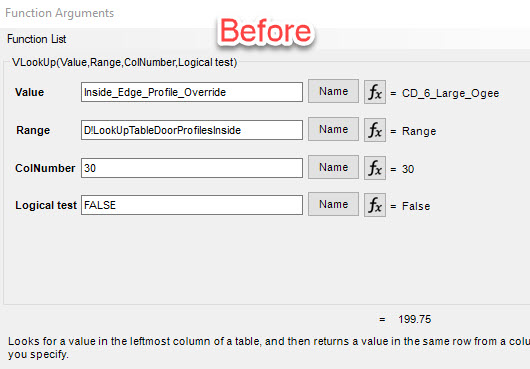
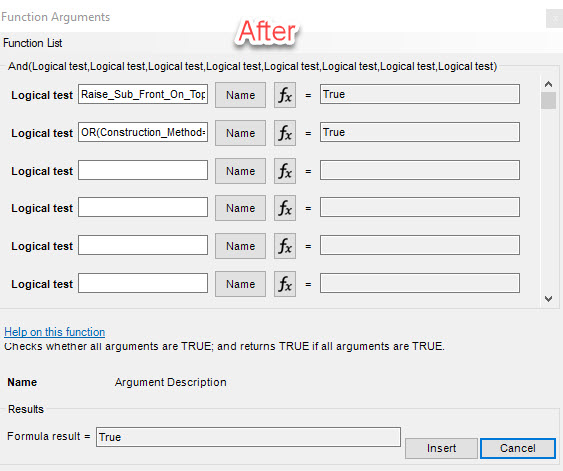
Updates last year to the Insert Function (FX) UI have improved readability of formula results, which now display without being cut off—a much-appreciated enhancement. However, these changes have introduced a tradeoff: reduced visibility for the formula input field (first column).
Current Issue:
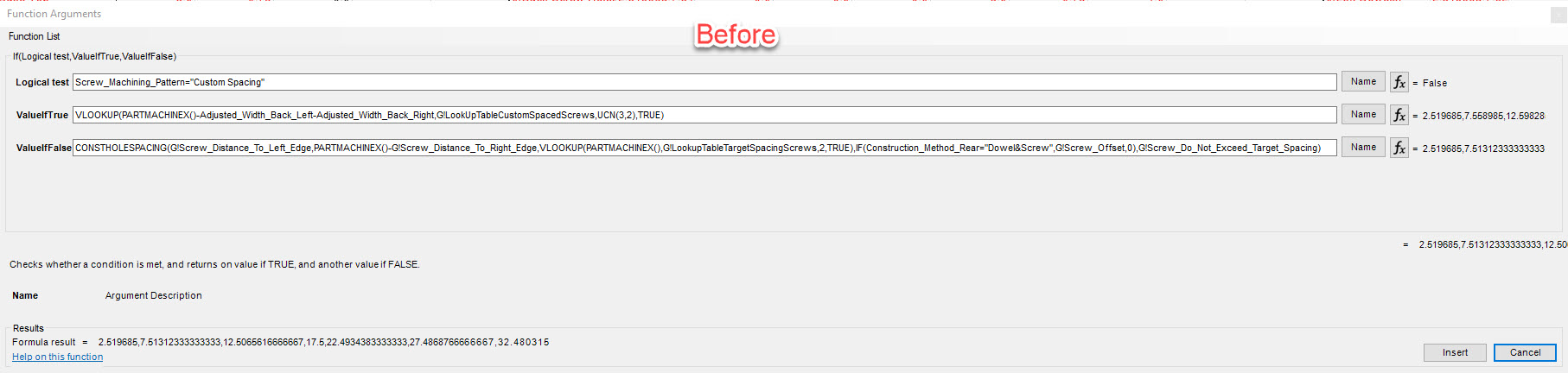
The white formula entry boxes now appear significantly narrower, often truncating the formula content. In some cases, users must stretch the FX window across two or even three screens just to view the full formula (refer to attached before/after screenshots). This creates unnecessary friction during formula writing and editing.
Proposed Enhancement:
Introduce a resizable column interface between the formula input and formula result columns. This could be implemented via a simple mouse “gripper” or draggable divider, allowing users to allocate space where it's most needed depending on their workflow.
Justification and Benefits:
Improved Usability: Adjustable columns allow users to prioritize visibility of the formula itself—a key focus during editing.
Better Use of Screen Real Estate: Users with ultra-wide or multi-monitor setups can optimize the UI to fit their working style.
Minimal Disruption: This change enhances the current UI without altering its core structure or introducing new learning curves.
Conclusion:
Adding resizable column functionality would meaningfully improve the Insert Function UI, allowing users to work more efficiently and comfortably without sacrificing visibility of critical inputs.

Similar situation in Library Designer, but with adjustable windows
