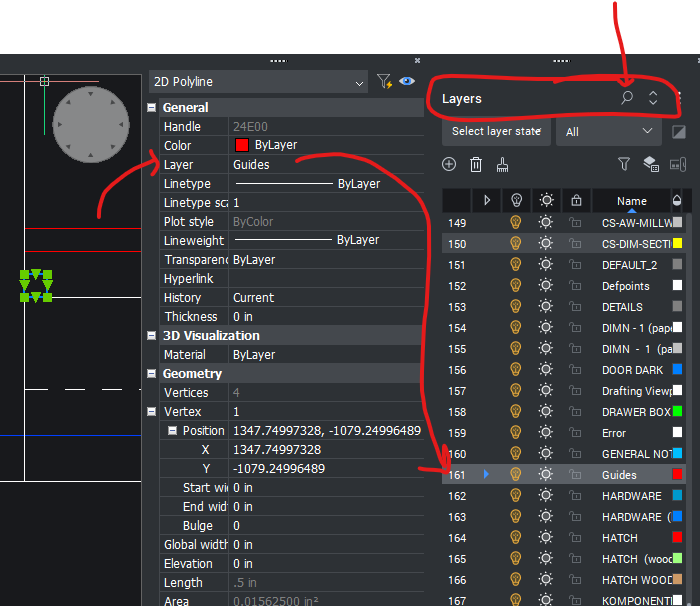
Feature Request: Layer Controls Within Properties Panel
This would just be a real time saver, I think. Whenever I'm deep in the weeds and moving things I will quickly want to move things to a hidden layer or just a different layer, or when I draw quick guidelines I want those to be on a guides layer and will need to adjust layer color or visibility real quick. As it is currently I have to go over to the layers panel and find that layer to adjust it. Since there's over a hundred layers in any given situation, you gotta go up and first click the magnifying glass, then into the search bar, type at least the first few letters of the layer you want and THEN adjust it.
If I could Freeze, Lock, turn on or off, change color, name etc. right in the Properties Panel, it would save a ton of clicks.
OR (And maybe this would be easier to make happen)
When I click on the layer title in Properties, it highlights in the list on the Layers Panel.