Library Designer - How to change Alias (It keeps reverting back)
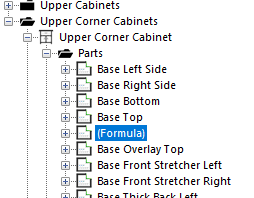
I'm updating some part names with a new formula and it changed the Alias from Base Overlay Bottom to (Formula). I tried changing the alias here but when I rebuild library designer it changes back to (Formula)

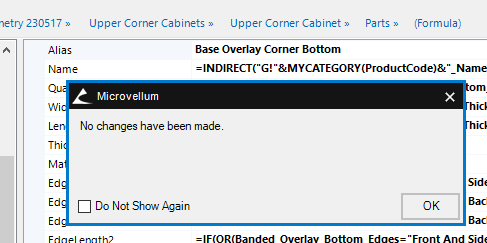
When I change the alias on the right side, it has nothing to Commit Changes. So I made a small adjustment in the comment so it would have something to Commit Changes to. After, I rebuilt the Library Designer to check, but they kept the new comment, however change from Base Overlay Corner Bottom to (Formula) again.
Any tips would be grateful.
Thanks,
-James