Patch: Master Diagonal Vertical Designer Cabinet
Hi all, just releasing a patch for the broken double doors in the "Master Diagonal Vertical Designer Cabinet" that was recently released in Library Version 25.0703.
To apply the patch, see the steps below.
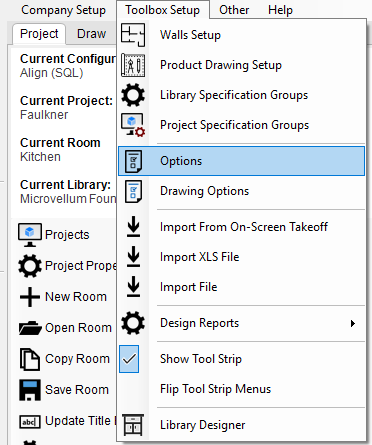
1. Navigate to Toolbox Setup --> Options.
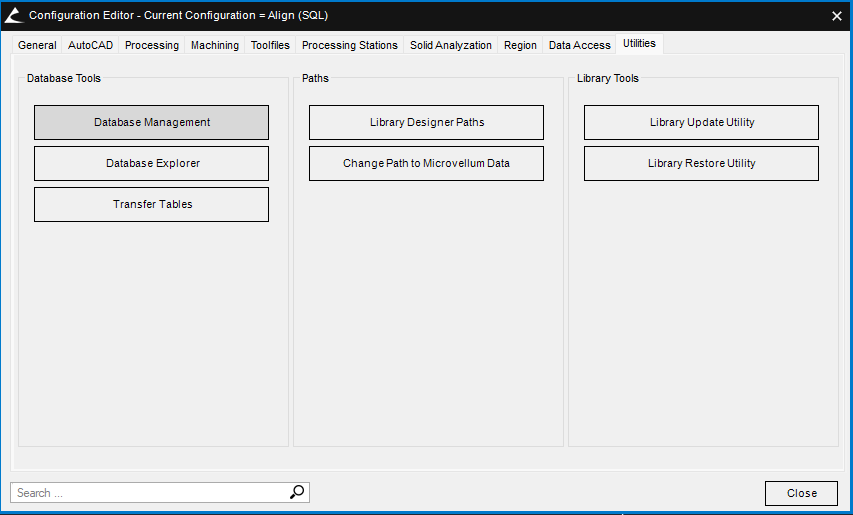
2. Click on the "Utilities" tab.
3. Click "Database Management".
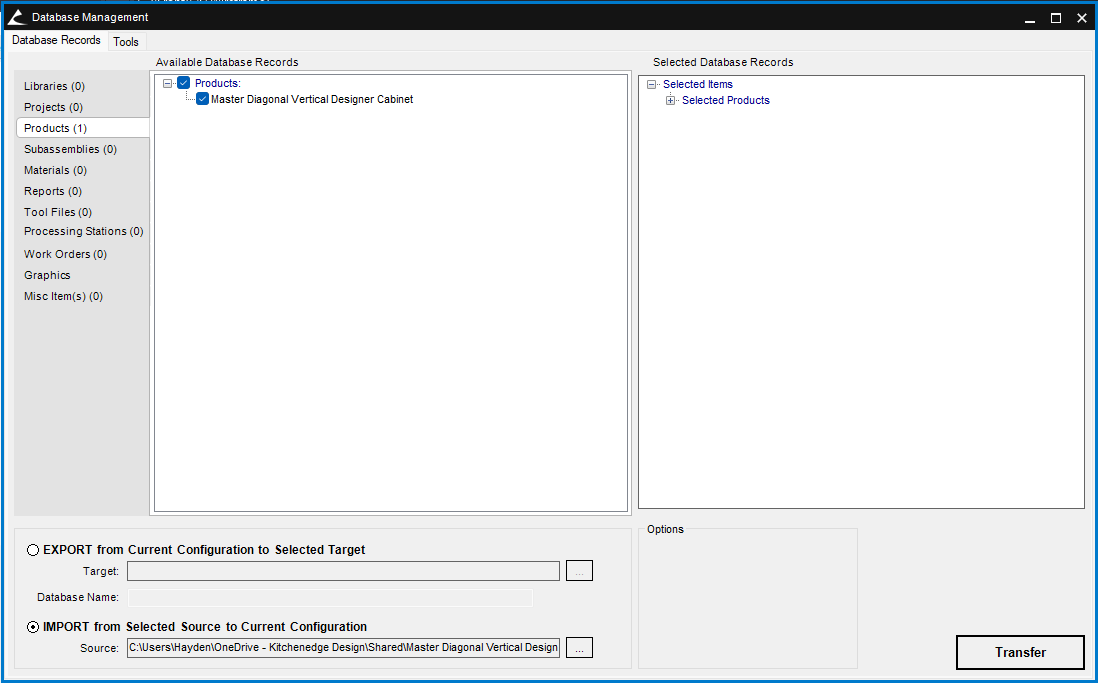
4. Click the checkbox next to "IMPORT from Selected Source to Current Configuration".
5. Click the " ... " next to the source box and select the .sdf file downloaded from this post.
6. Click "Yes" to the popup.
7. Click "Transfer" down in the bottom right corner.
8. Restart Microvellum to finish applying the patch.