PRO TIP: Grain Arrow for Analyzed Parts
We all know how costly wrong grain directions can be. For out-of-the-box library products this isn't much of an issue. But if your shop is anything like ours, you might be spending a lot of your time creating products from analyzed solids. This is where grain direction becomes a pain point.
Microvellum analyzes parts to have the grain running along the longest edge. Sometimes this is accurate, other times it is not. Far too often correcting the grain direction of analyzed parts is missed in the engineering process and costs go up as recuts start to stack up.
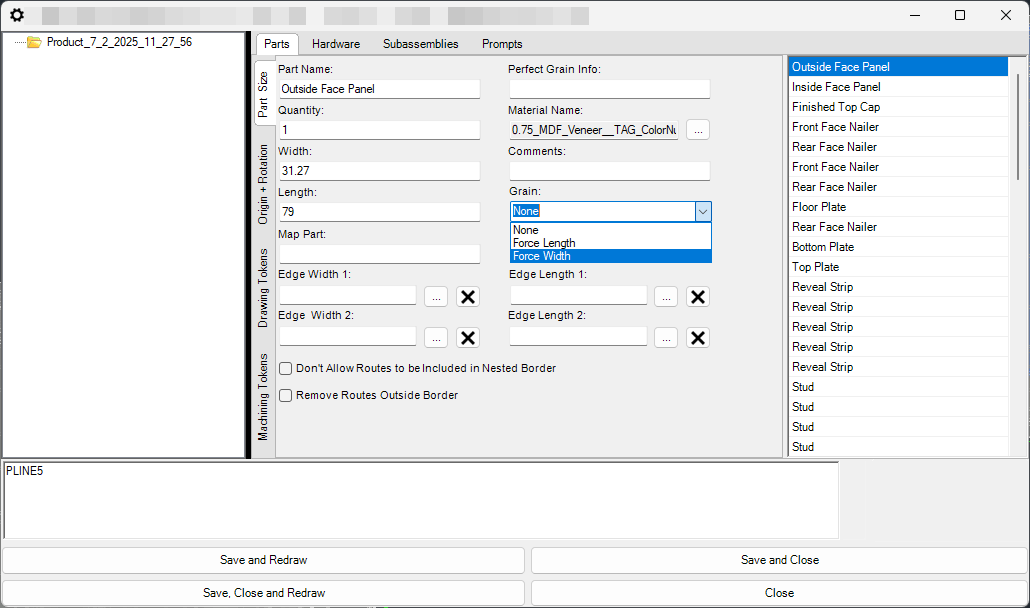
To greatly reduce this, and help catch grain issues at the engineering stage, we've developed a parametric grain direction arrow that routes in any panel it's added to (draws only, won't nest). We have this in our Token Clipboard and paste it into any part that has a grained material assigned. Upon redraw, it instantly becomes apparent which parts are wrong. From there, we open Part Properties and "Force Width" for any incorrect parts, and "Force Length" on correct parts. (The reason we do "Force Length" even if it's correct is due to nesting issues we've discovered when using cross-grain material. Leaving those parts defaulted to "None" results in those parts rotating in cross-grained materials.)
For example:
Pasting the token after the initial analyzation:
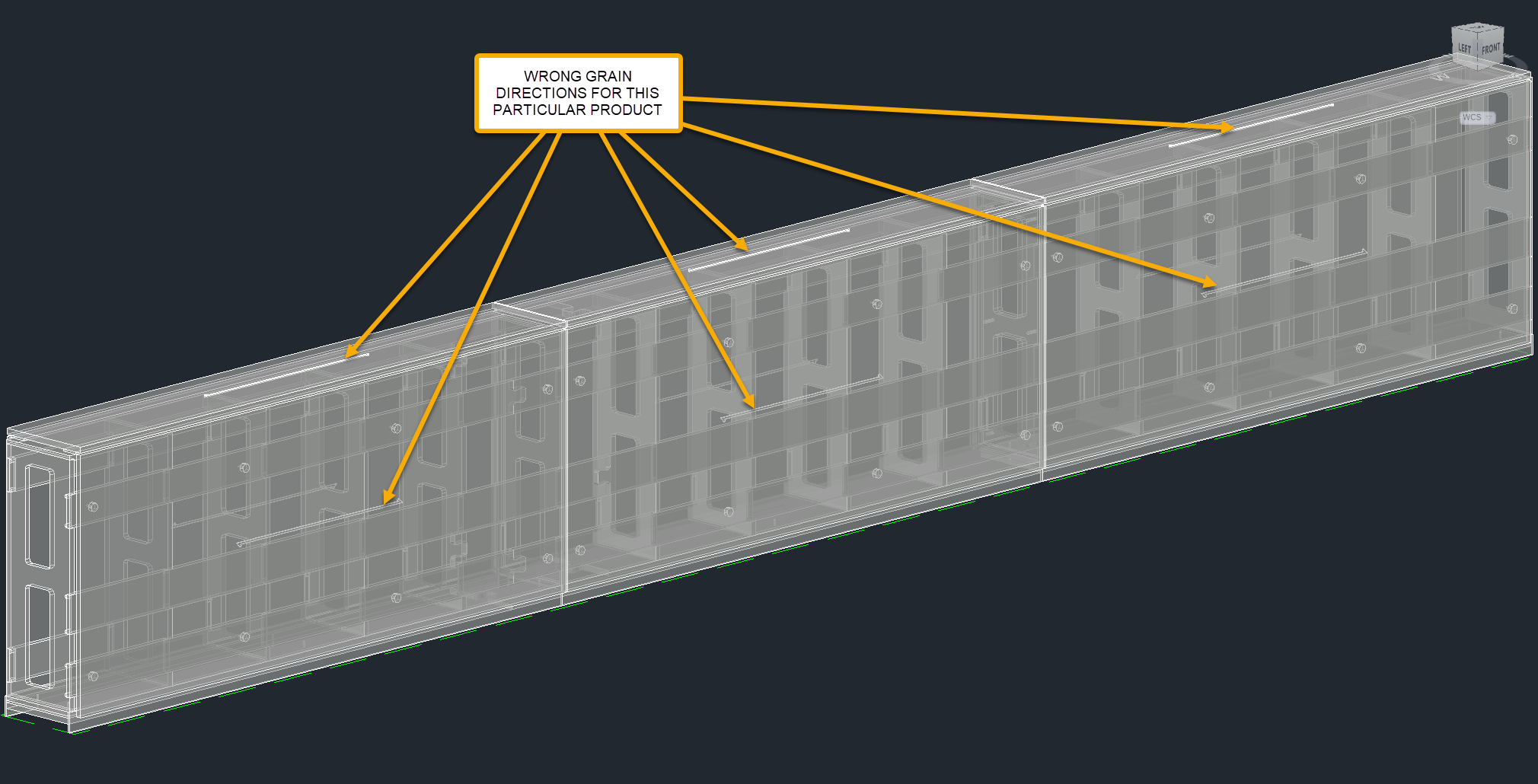
For example:
Pasting the token after the initial analyzation:
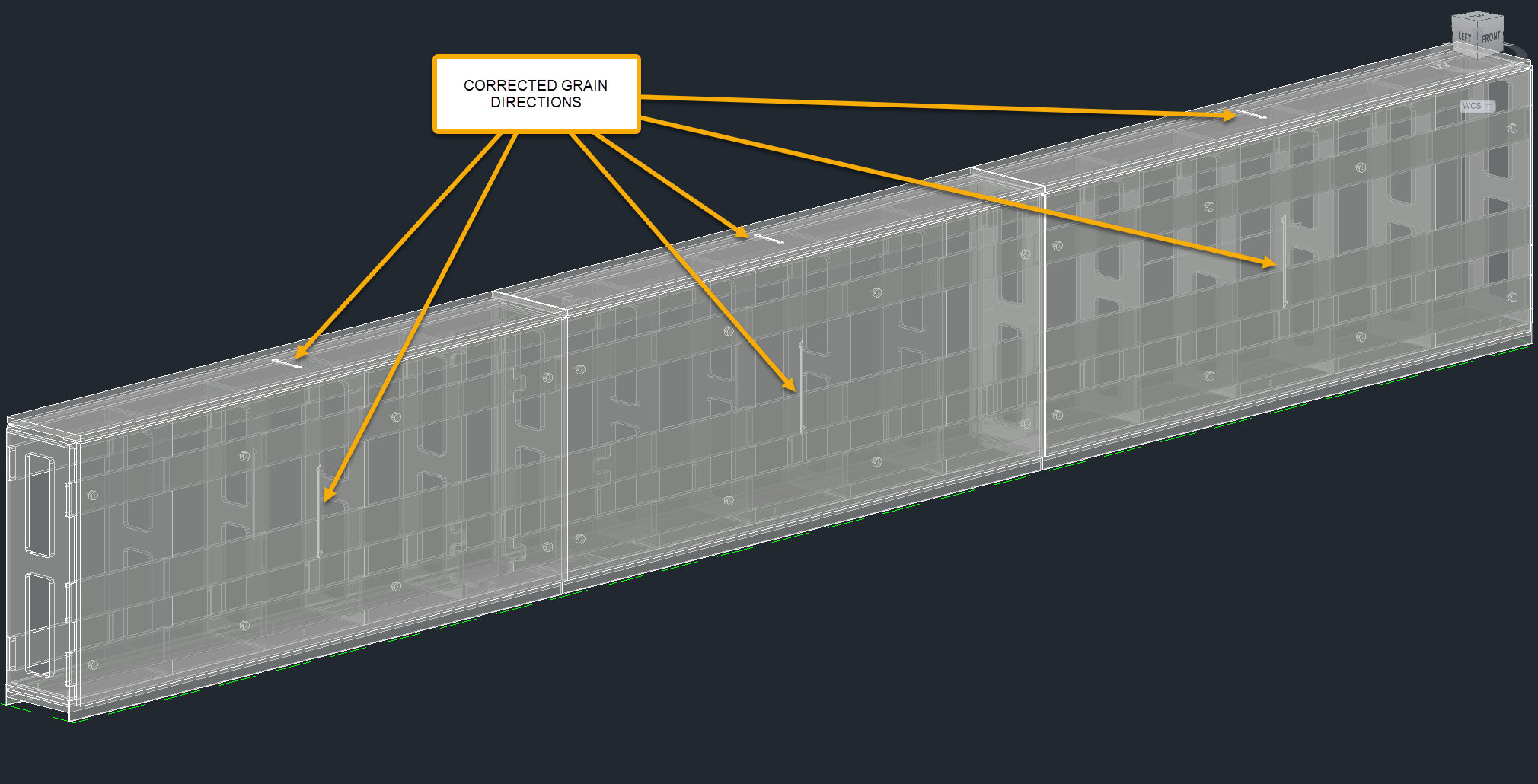
Attached is the token. Feel free to add this to your clipboard and give it a shot. Hopefully, it will help minimize mistakes for you like it has for us.