Quick measure in BSB
Hey,
Working on a BSB trial to looking to switching over from OEM and the first BIG cad command that appears to be missing is the quick dimension using MEASURGEOM command and selecting quick measure (and can be set as default). The result gives you the below and changes pending where you have the cursor.
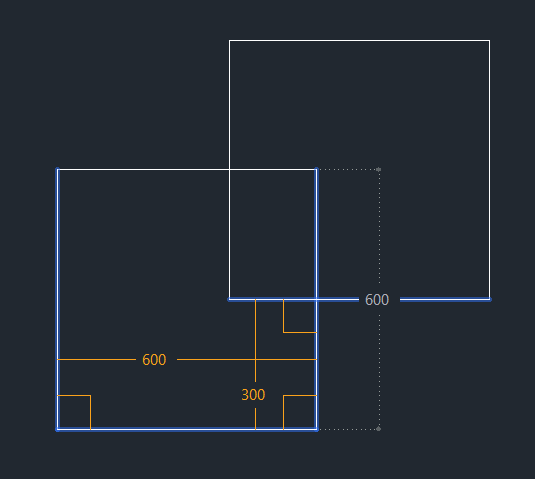
For me, without this function is going to detrimental to my work flow. Using keyboard commands, I only have to press two keys and then I can see the dimension of nearly anything I want just by moving the mouse. To have to dimension from point to point will not only frustrate me but will make things go so slow!
I've searched the forum and no one appears to have asked yet, but is the function available in BricsCAD?