Solid Modeling Tools - Extruded Entity Reveals/Heights/Removable Panels
I'm trying to get into Solid Modeling Tools for producing die walls. I think I have a handle on the basics, but I'm wondering how to do some more advanced edits.
How do you all handle removable panels on your die walls?
For our removable panels, we use 1/8" reveals. Where we don't have a removable panel, this portion of the extrusion is flush to the top and bottom of it's adjacent parts. I have the linked section set up for this, but I'm not sure how I should handle the removable panels.
Is it possible to get the portions where this extruded part will be a removable panel to have 1/8" top and bottom reveal? I know there's a "Extrusion Spacing" property that determines the left/right spacing/reveals, but it seems like the height is solely determined by the section. The highlighted part in the screenshot is the part I want to add top and bottom reveals to.
To more generalize the question, is it possible to handle height changes in extruded entities in a single extruded product?
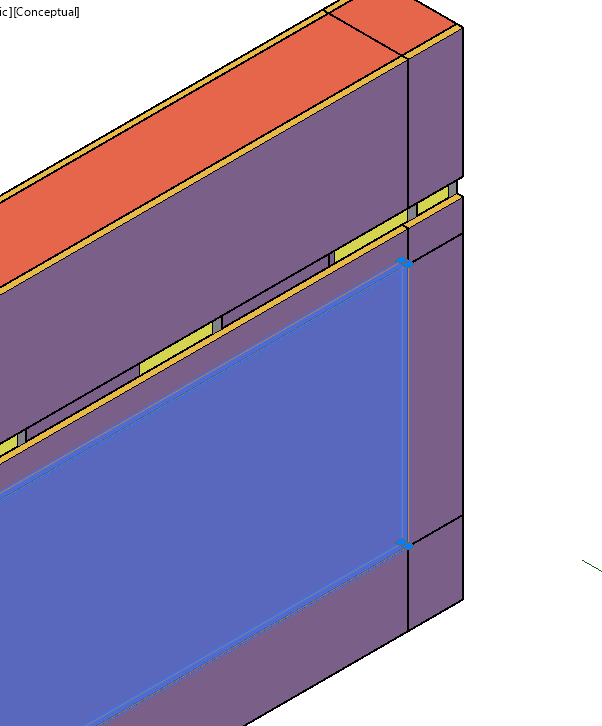
Right now, I'm thinking I could add an overlapping extruded part to the section that has the reveals, then remove/offset these parts correctly in the editor, or just edit part heights after it's sent to a product/work order. But I'm wondering if there's an easier way to do this.
Thanks!