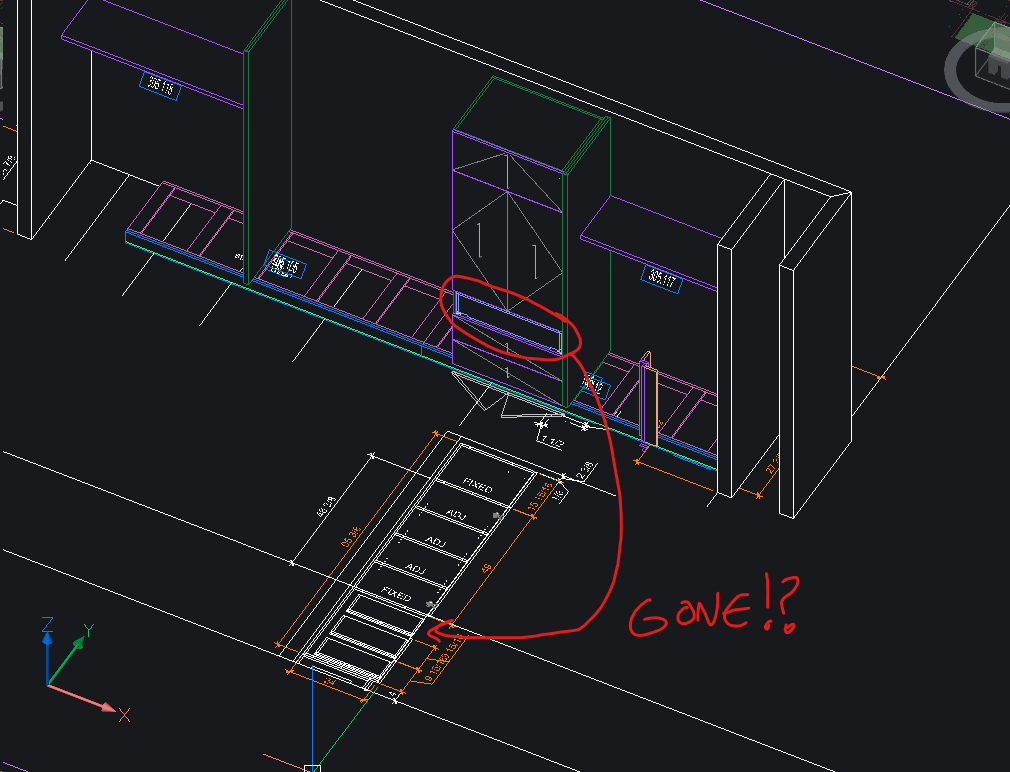
Is there really no "Undo" in Toolbox?!
I notice that there is no undo in Toolbox. Once a command or change is applied, it's in the data set and can't be undone. Even if the drawing or room was closed without saving and re-opened, the changes still persist and toolbox even teases the user by showing the old model looking fine but in reality, once "re-drawn", it will take on the change that the user never wanted to save. Am I incorrect to say the Toolbox doesn't have Undo, a universal command found in most CAD programs?
My latest issue, I tried to adjust the top drawer front panel dimension in the sub sub assembly and broke the model, the panel disappear! I closed the room without saving and re-open but it's too late, I'll have to re-do the product again from scratch. I've switch over to master vertical cab which has more options for the bays but unfortunately no options to control the drawer heights. To do so I have to dig deeper into the data, leading to cumbersome adjustments and errors. Is there a better way?