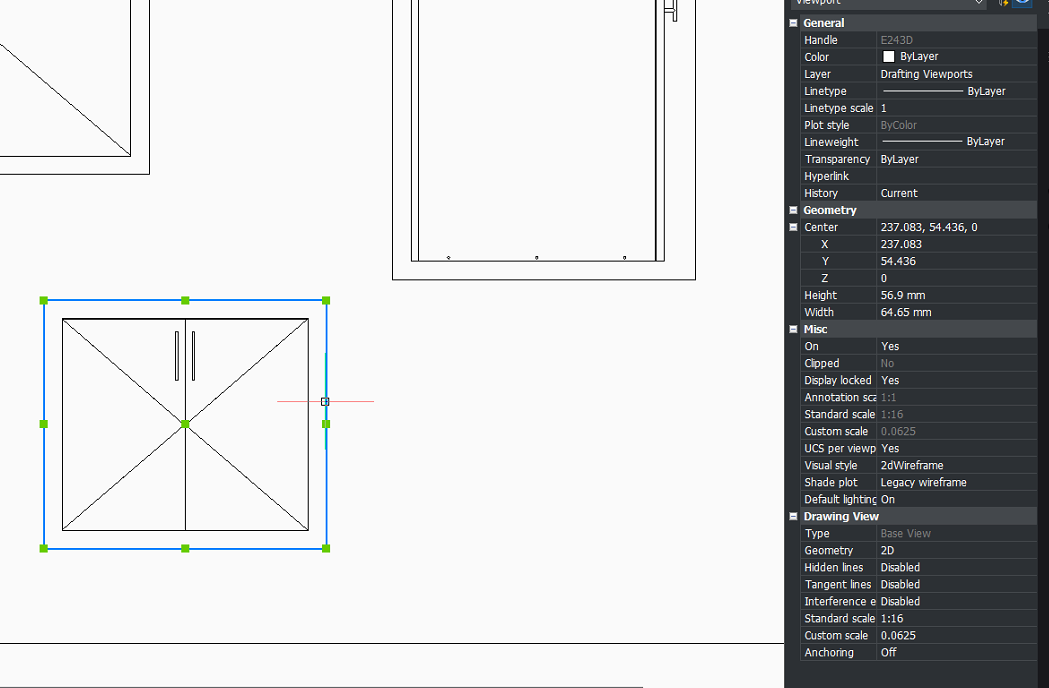
Toolbox BSB Viewbase
Trying to understand a few things that are different to EOM if anyone has the answer or has tried it.
Using the "baseviews" appears to be paperspace only, so the only way I know how to add things with viewbase is by going into the model space, using the command, selecting the cabinets then typing the page number. The issue with this is, if I then change a cabinet size for example, it vanishes from my viewbase, and I can't seem to find a "ESelect" to re-select it. In EOM there would be a viewbase tool on the ribbons that you click from the drafting page you were on, then select whatever products you want and that would be your parent viewbase.
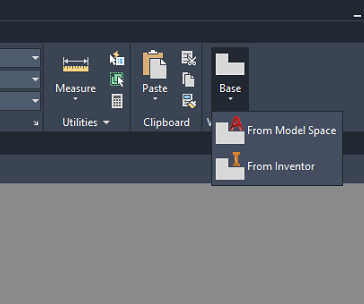
Then add additional elevations as you like, and when you make changed to products. You would just ESelect on the parent viewbase, select all your products and every viewbase would update.
https://youtu.be/saIm3OUrl5E?si=M0dicm8r6lqa1Yuv&t=656
https://youtu.be/saIm3OUrl5E?si=M0dicm8r6lqa1Yuv&t=656
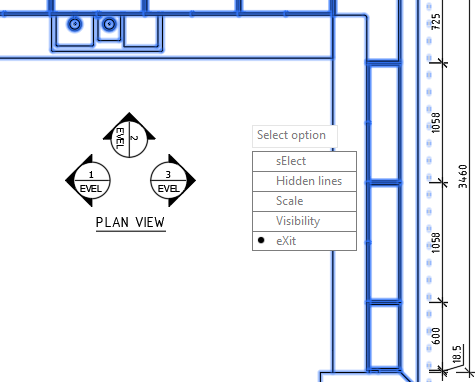
I noticed and I could be wrong, everything in the properties tab is set to "2D Wireframe", but still shows everything as "Visible lines". How do I change this?