Unmachinable Toggle-Bolt Cutouts after update 2D Machining
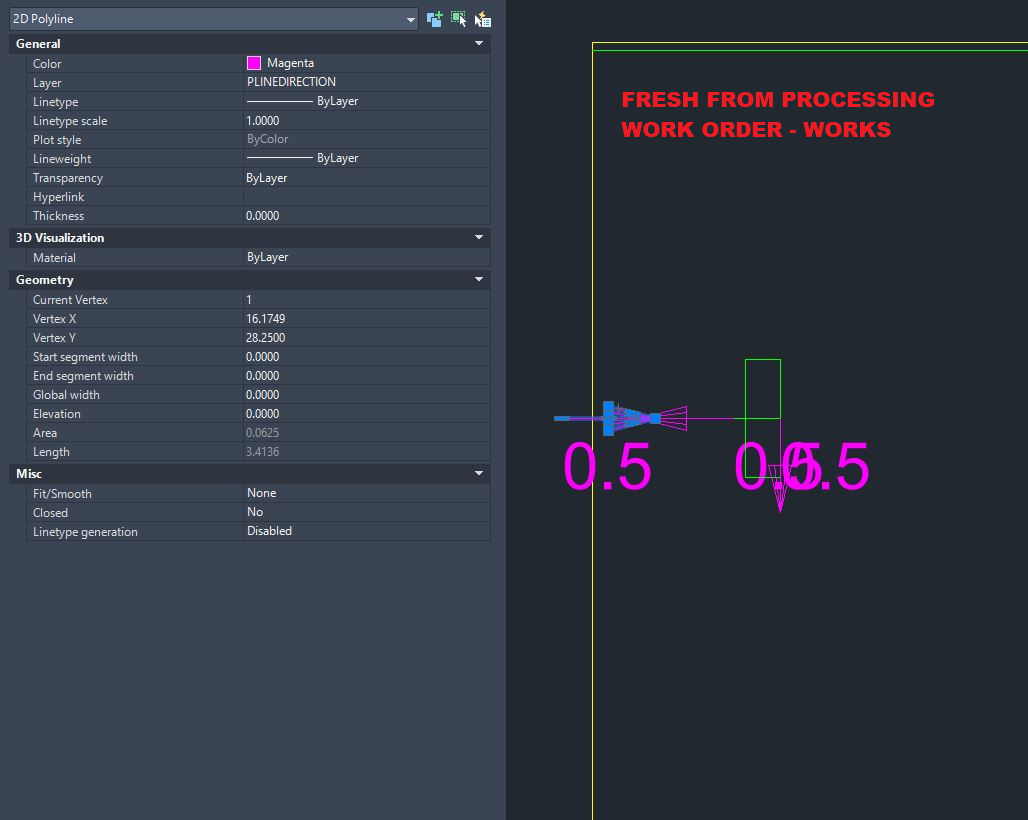
We cut our countertops to have dog-bone shaped cutouts on the underside to draw them together at seams using toggle bolts. The machining works fine from simply processing the products through a work order and running it at our CNC.
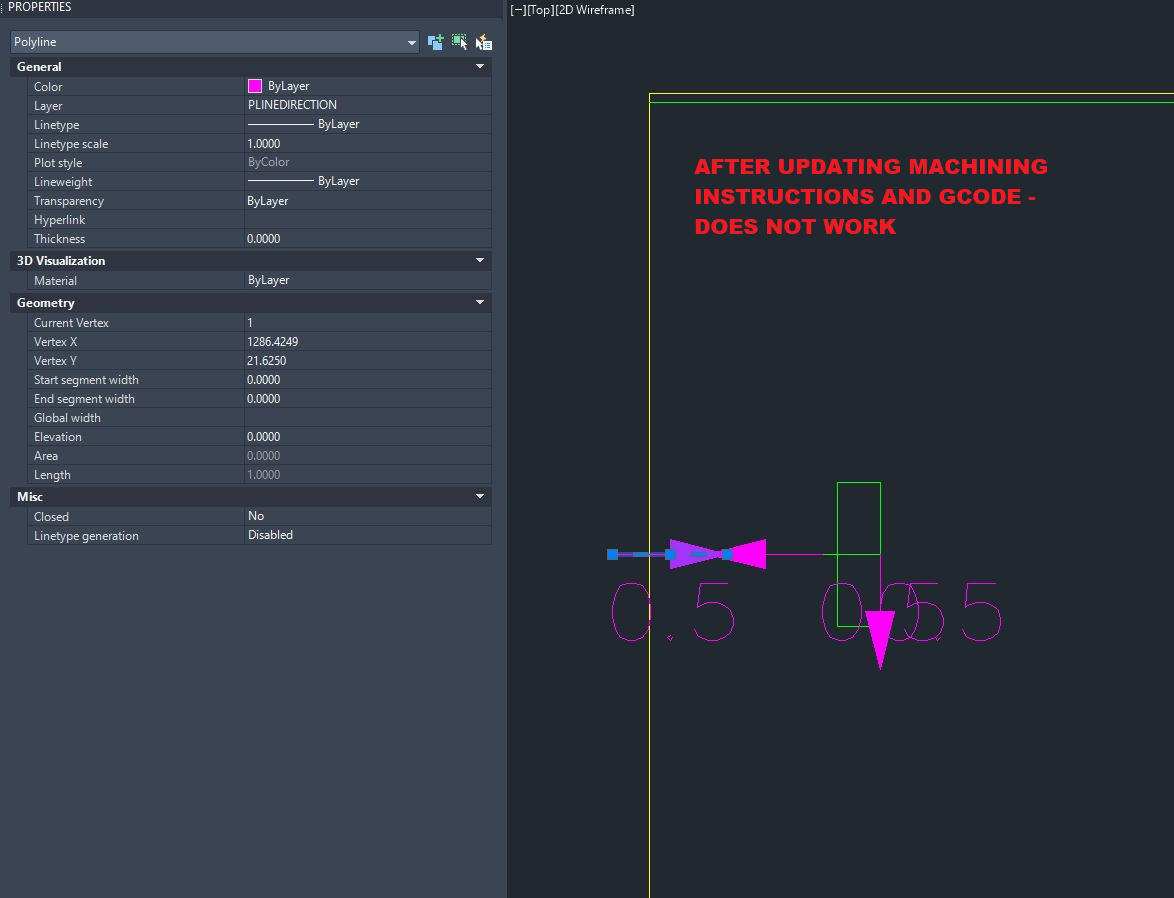
However, if we find we need to modify the machining after processing a work order (say the countertop needs to shrink by an inch or something), we use the 2D Machining tools to "create new" or "update existing" machining instructions and gcode from drawing... we get a result that looks different and our CNC fails to run. The PLINEDIRECTION arrows change from 2D Polylines to regular Polylines; and the machining for the dog-bone shaped cut outs fails to run at our CNC.
Has anyone else seen this type of issue -- where the original machining works, is not touched at all, and then doesn't work after updating the machining instructions? How would we fix this?